
Tutor spot-check sheet
Printable 15-minute lesson close-out with home assignment lines.
Open toolFor tutors & educators
You assign the standard in lesson; families run Theater at home; you verify before the next session.
Your lesson · their Theater nights · visible follow-through
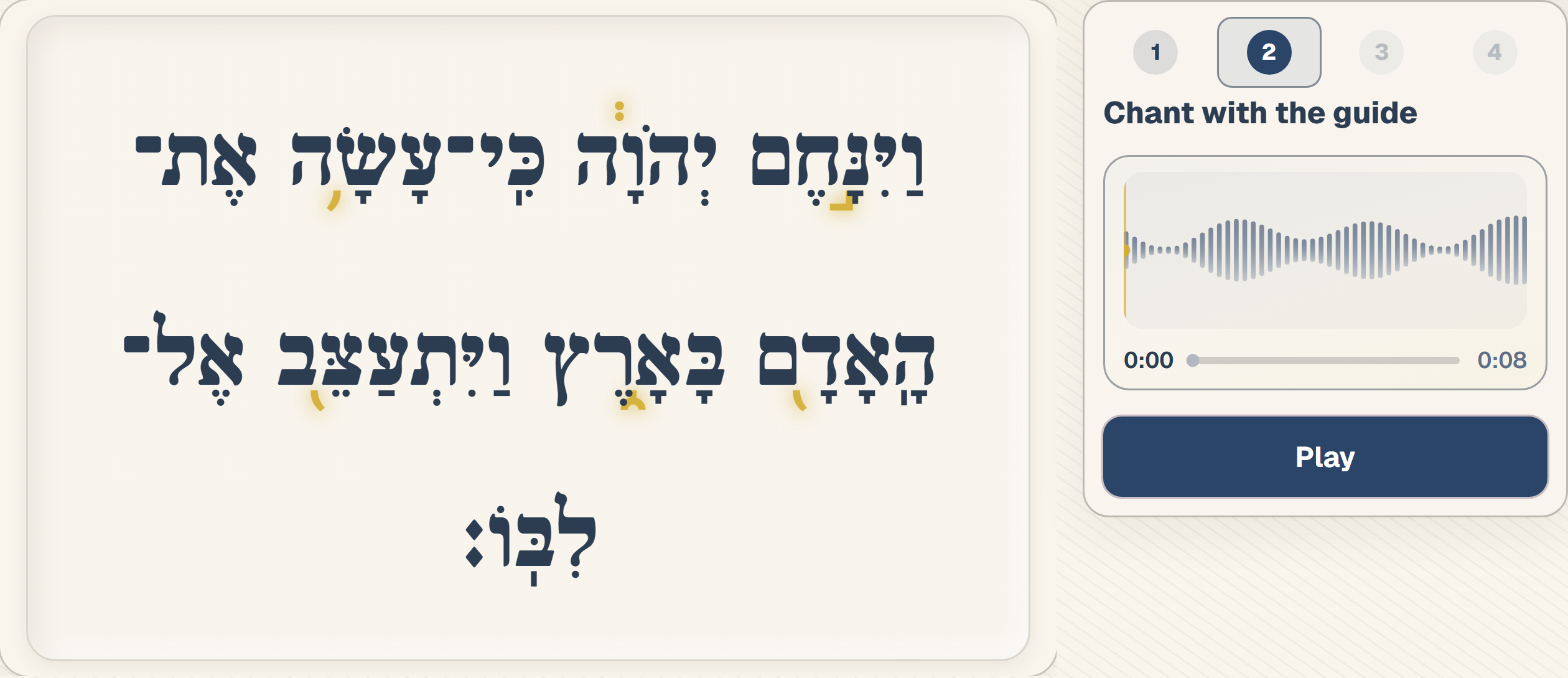
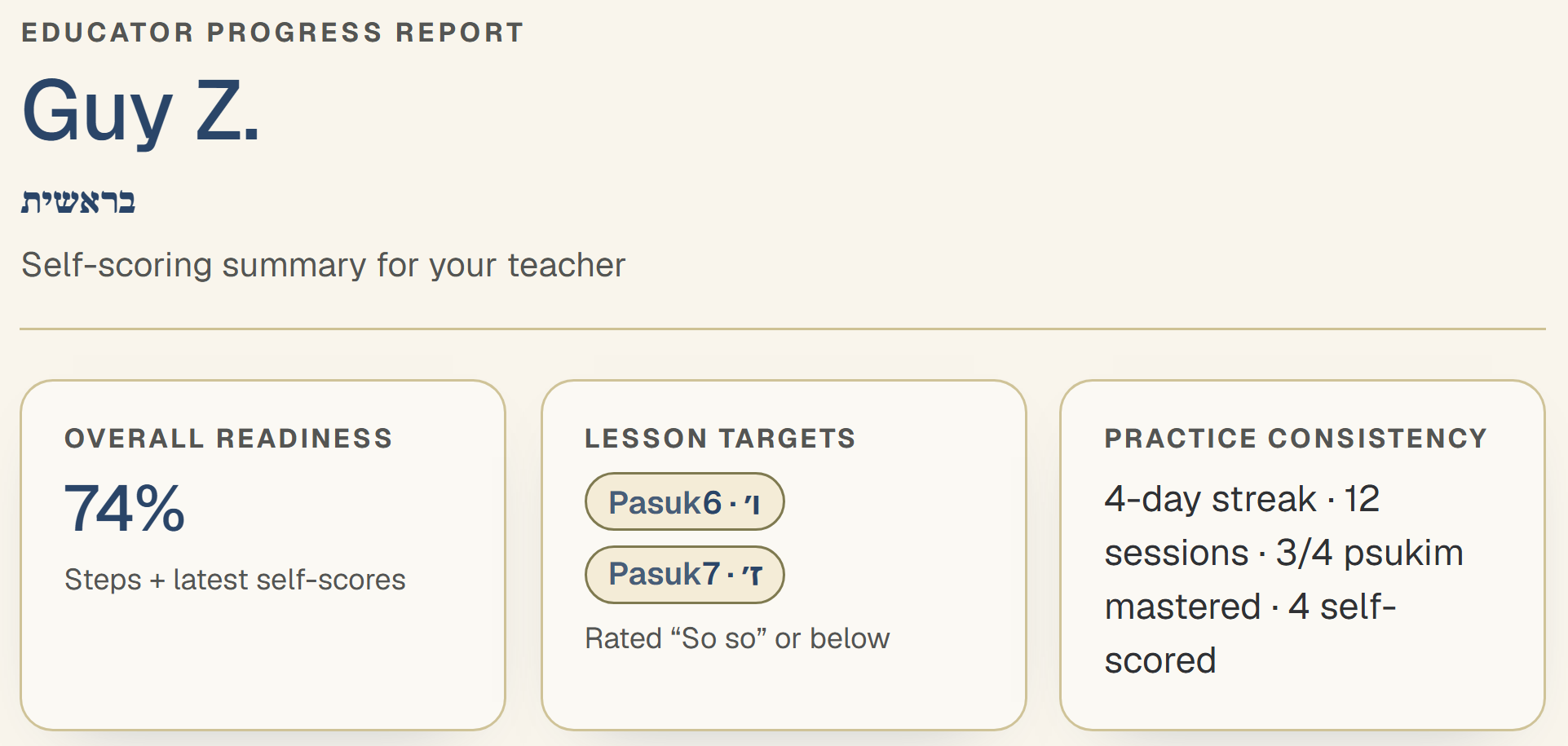
Wrap up in 15 minutes with the spot-check sheet; open the progress report before your next lesson.
You'll see what happened at home—not just what they practiced.
From a pilot tutor
“I used to guess what happened between lessons. Now I open the report before we start.”
Free Prep Kit handoffs plus the in-app educator report—print, share, or open on any device.
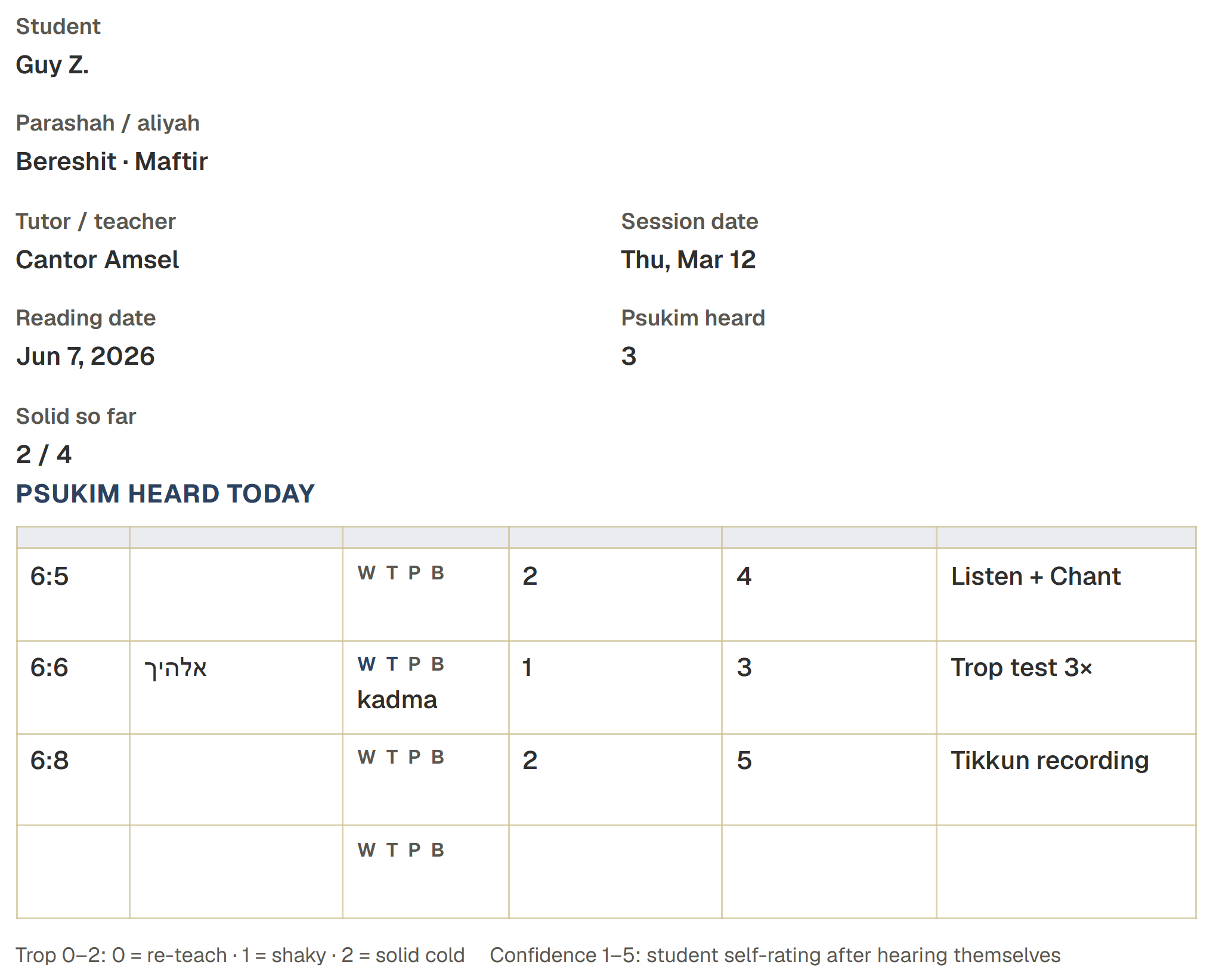
Printable 15-minute lesson close-out with home assignment lines.
Open toolReadiness summary your student can print or share from the app.
Open toolStudent-led Theater nights—parents check in without teaching Hebrew.
Open toolFull Plan → Execute → Support → Verify system for families.
Open toolRunning a cohort? See the institution pilot for roster seats and class readiness. Institution pilot
Torah Sync is structured practice at home, not a substitute for your coaching. Families get clear pasuk targets in Theater Mode; you still own trope, pronunciation, and pace.
We do not replace tutors, teachers, or rabbis. Guide audio is Shalom Zachmy's steady Ashkenazi reference—practice between lessons, not instead of yours.
Getting started
Yes—you still set trope, pronunciation, pace, and the weekly standard. Torah Sync handles structured repetition between lessons so lesson time goes to cold reads and coaching, not re-covering the same psukim from scratch.
Use Torah Sync for steady reps between sessions; you still model your student's aliyah standard in lesson. Guide audio is Shalom Zachmy's Ashkenazi reference—not a replacement for your minhag coaching.
Overall readiness %, weak psukim flagged as lesson targets, Theater Mode step completion per pasuk, practice consistency, and optional recording playback—so you can focus the next lesson.
Yes. Print or fill the spot-check on any device—no account required. Pair it with the free Prep Kit calendar and parent night script for home handoffs.
Yes. Students open the parashah map, jump to your assigned aliyah and pasuk, and run the same four-step Theater Mode loop. Log targets on the spot-check sheet so parents know what to practice.
Yes. The free parent night script walks a student-led Theater Mode session—parents check progress and mark the calendar without teaching trop or pronunciation. You still set the standard in lesson.
Plans & pricing
For one Bar/Bat portion, point them to the lifetime Bar/Bat plan on the pricing page. For a paper plan before checkout, send the free Prep Kit OS—calendar, parent script, and your spot-check sheet.
Request an educator walkthrough—we will show you the Theater loop, Prep Kit handoffs, and educator report your families can share.
Walk up to the bimah calm—you did the work.