
Students and families
Follow one pasuk at a time with clear nightly targets between lessons.
See family flowHow it works
You always know what “done” is before you close the app.
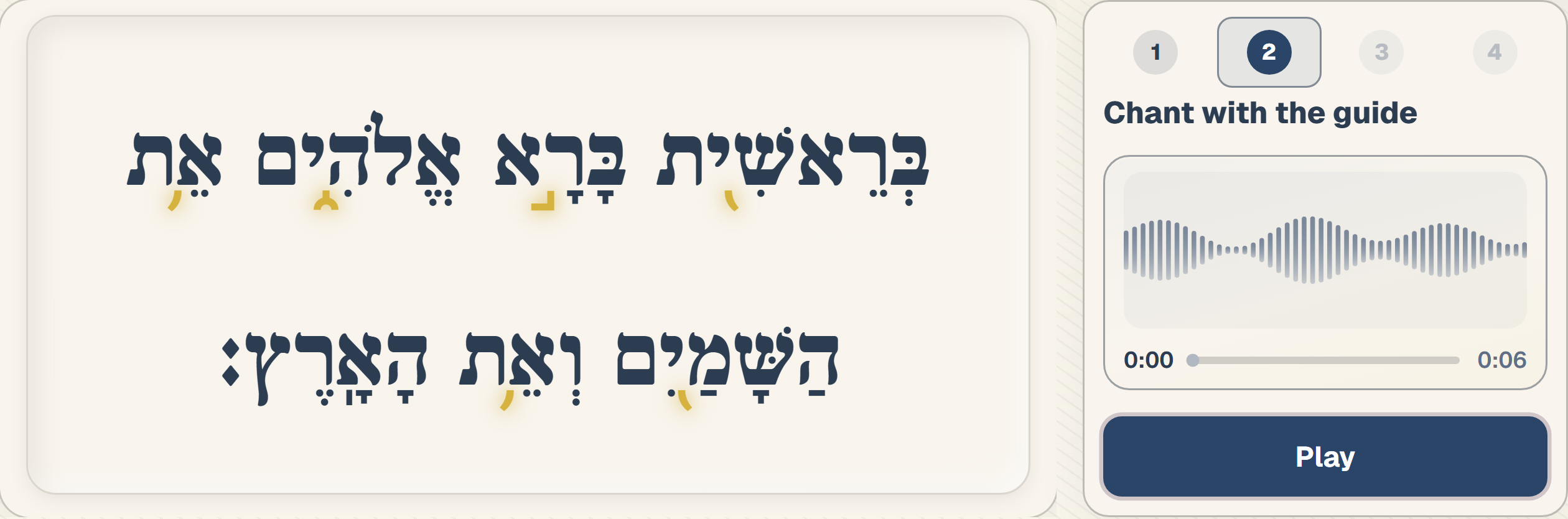
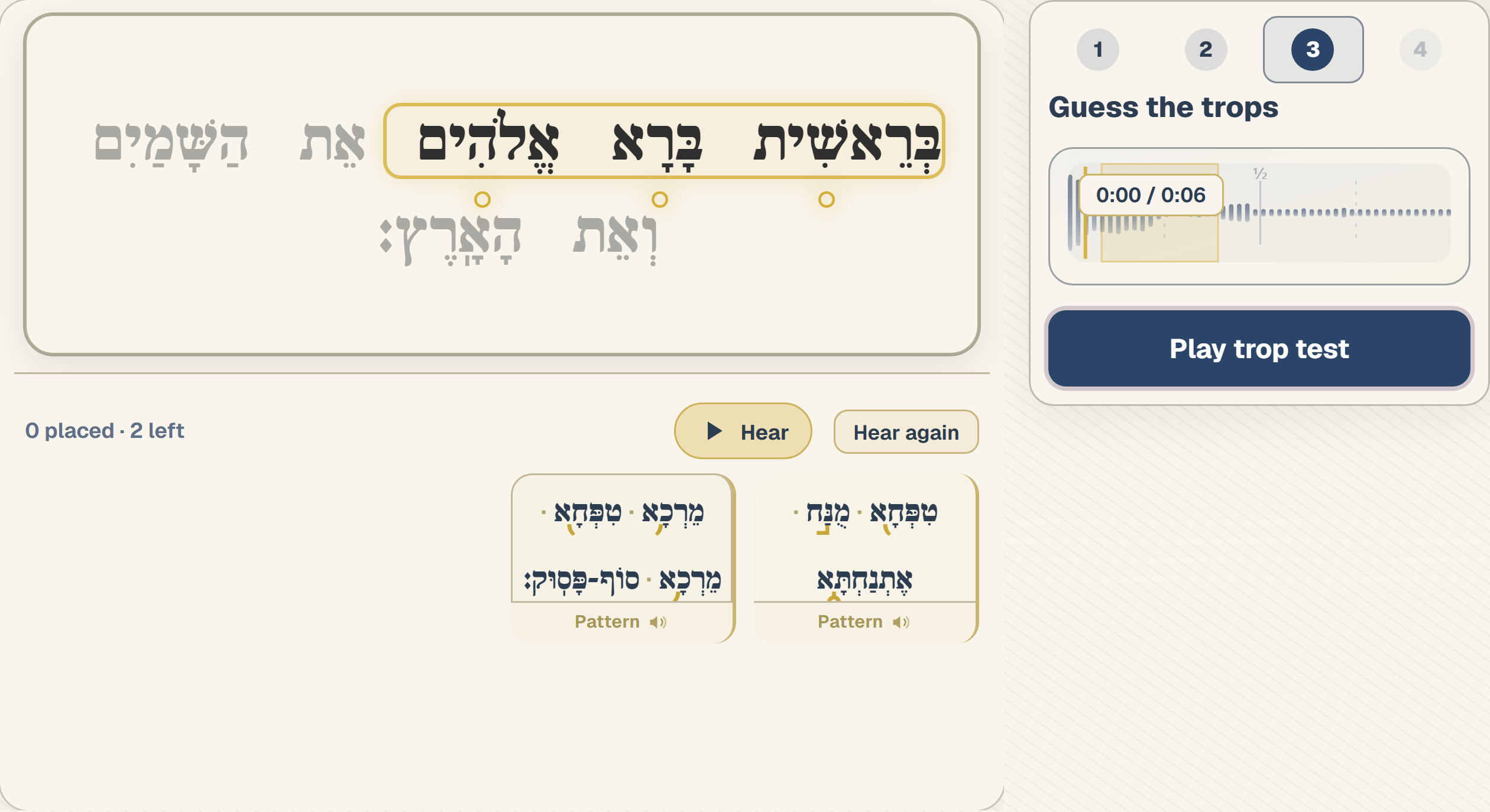
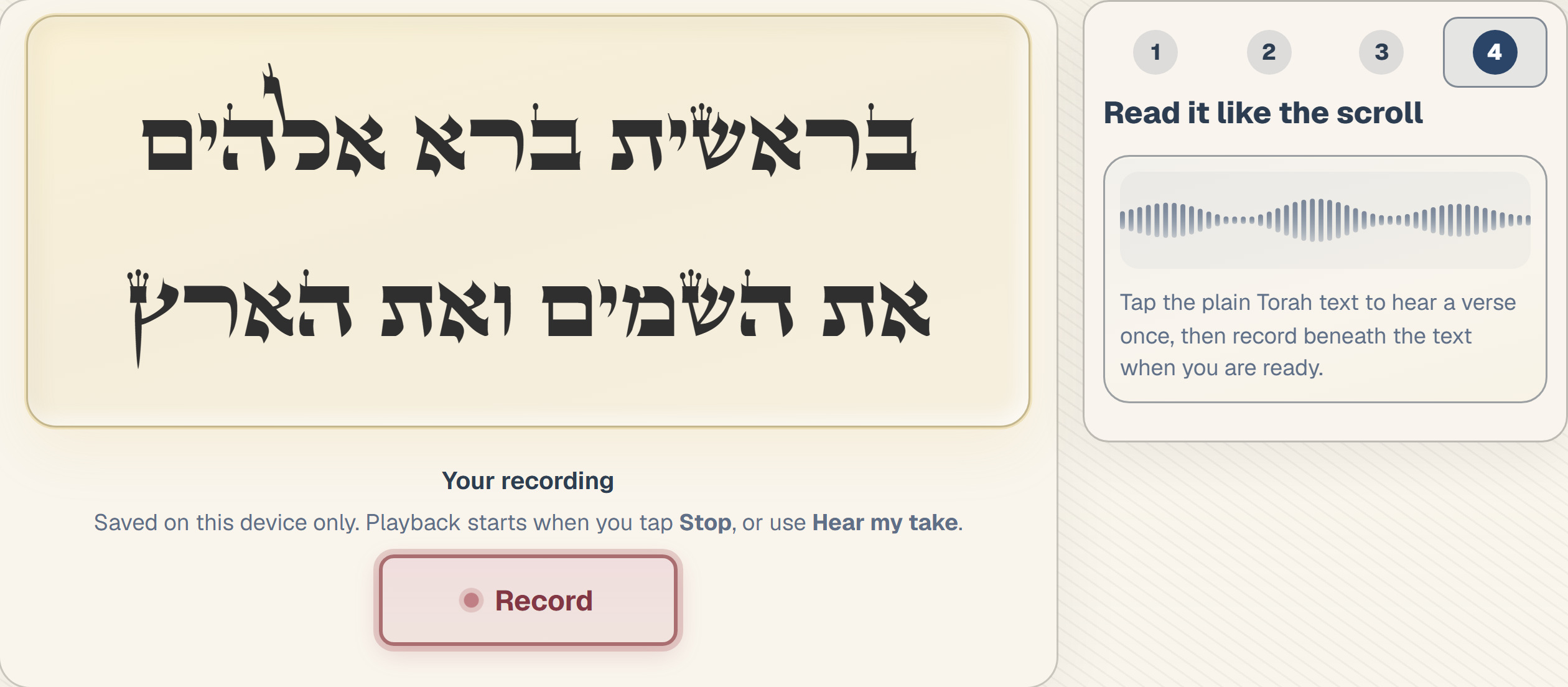
All four steps in the live app—synced Hebrew, guide audio, and pasuk progress. Tap a step below to preview it.
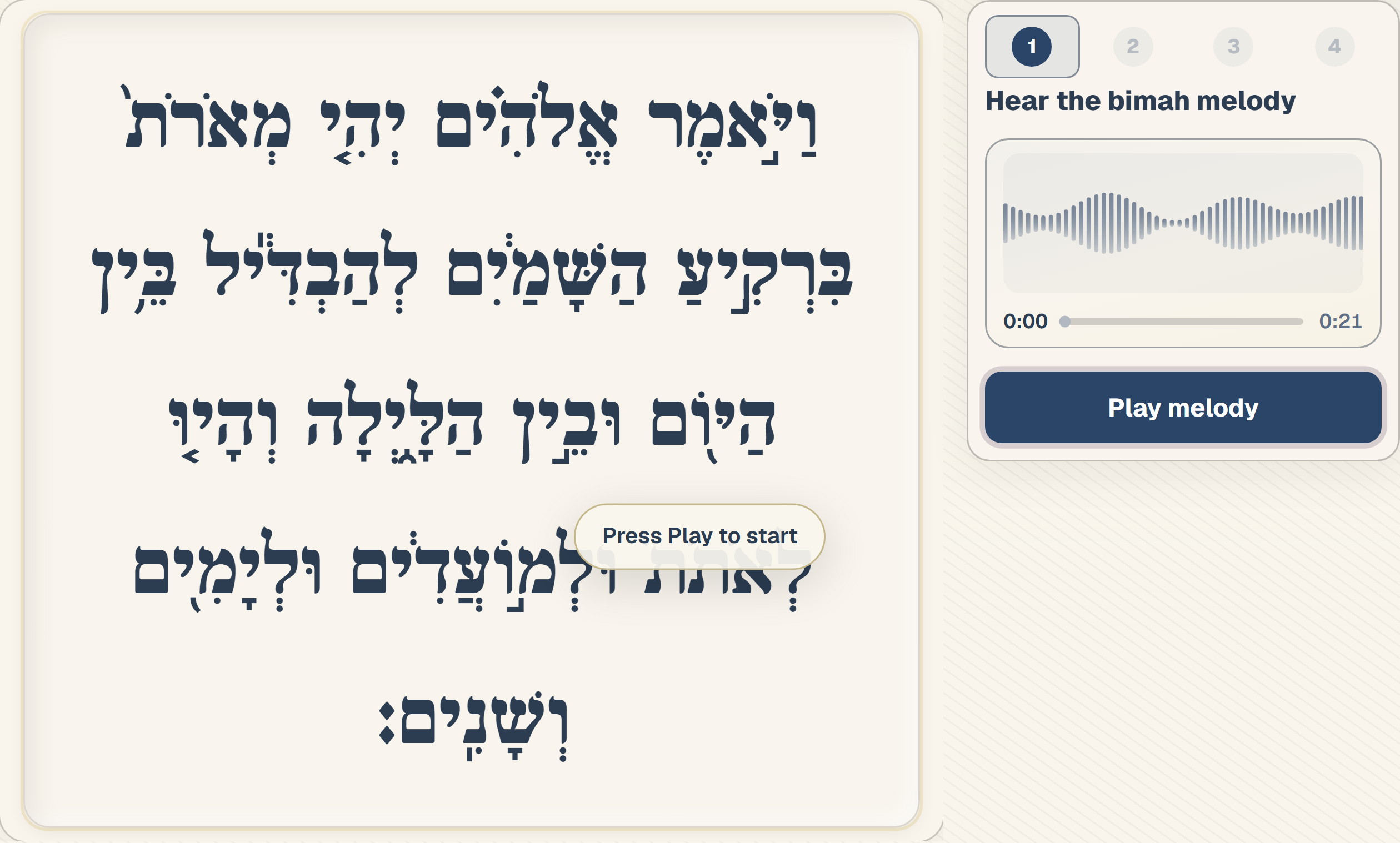
Step 1 · Listen
Theater Mode works for both tracks. Pick your context—the four-step loop stays the same.
Follow one pasuk at a time with clear nightly targets between lessons.
See family flowSame four-step loop—jump to any pasuk when you need flexibility.
See adult learner flowOpen the live demo and feel Torah Sync in about two minutes.
Same order every time—each step has one clear job before you move on.
Hear the guide sing through the pasuk once—the full verse on screen, synced audio, and a playhead that shows where you are.
Crisp guide recordings by Shalom Zachmy—synced to the text, pasuk by pasuk.
Hear the bimah melody — once through with synced text and a clear playhead.
Run the four steps on one pasuk — about 10 minutes, start to finish.
You'll walk away with one pasuk done — and a clear answer to “what do I practice next?”
No account required. Open the demo in your browser and explore Theater Mode with synced text and guide audio.
It is built to make structured practice between lessons easier—not to replace your tutor, teacher, or rabbi. Guide audio is recorded by Shalom Zachmy, a former hazan and longtime teacher of Torah reading, for steady Ashkenazi reference practice.
YouTube and ad-hoc recordings help, but quality, tempo, and trope vary clip to clip. Torah Sync adds structure—one pasuk at a time, text synced to the audio—and guide tracks from Shalom Zachmy with a steady, consistent Ashkenazi chanting style so every rep uses the same reference.
You mark confidence, see what is next in the parashah, and return tomorrow with a clear target—usually the next pasuk or a flagged verse that needs one more pass.
Yes. Open the parashah map, pick your aliyah and pasuk, and run the same four-step loop from there—useful when your tutor assigns a specific section.
Vowels stay visible but trops are hidden. For each trop sequence: hear the sequence, pause when ready, then place the trop from the palette—the guide confirms your ear as you go.
Open the free Bereshit sample—synced Hebrew, guide audio, and the same four-step flow you'll use for your portion.
Walk up to the bimah calm—you did the work.